
On paper, inline table editing looks amazing. It feels fast, frictionless, and modern—like a spreadsheet on steroids. But in enterprise operations and inventory management, it is a massive liability.
When you allow users to modify data directly inside a massive grid, you aren’t just giving them flexibility; you are creating a perfect storm for invisible data corruption.
Here is why inline editing is a silent killer…..
1. The Hard Facts on Human Error
Human beings are remarkably consistent at making small typos, and inline tables maximize that vulnerability.
The 4% Baseline Error Rate
UX and data entry studies show that manual data entry without strict validation steps carries an error rate of up to 4% (4 mistakes for every 100 entries). 🔗
The Scale of the Damage
If an operations team updates 500 material master records a week via an inline table, a 4% error rate means 20 silent inventory errors are injected into your system every single week.
The Multiplier Effect
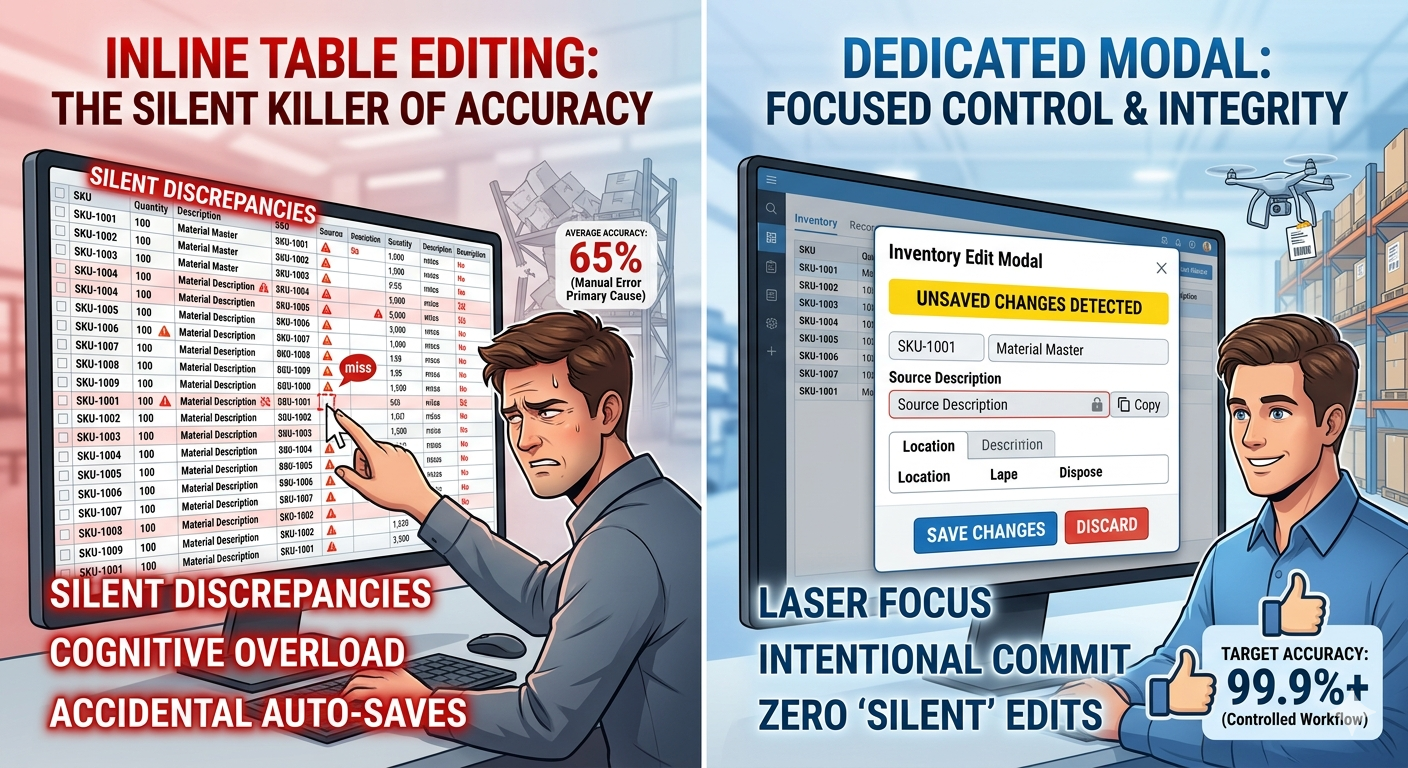
According to retail and logistics benchmarks, the average U.S. inventory accuracy rate hovers around just 63% to 65%. Manual entry and unchecked ad-hoc adjustments are the primary culprits keeping that number low.
2. Why Tables Cause Silent Chaos
The Fat-Finger and Mis-Rowing Effect
When scrolling through a dense table with hundreds of rows, the human eye easily misaligns lines. It is incredibly easy to click into a cell, change a quantity, and realise too late (or never realise at all) that you were on the row for SKU-1002 instead of SKU-1001.
Cognitive Fatigue and Visual Noise
Inline editing forces the user to juggle two tasks simultaneously: scanning a massive grid to maintain context and inputting precise data. This creates heavy mental load. A modal completely isolates the asset, stripping away the visual noise of the other 99 rows so the brain can focus on one single truth.
The Lack of Intentionality (Auto-Saves)
Many inline tables rely on auto-save triggers (saving immediately when a user clicks away or presses Enter). If a user accidentally hits a key while a cell is active, that change is instantly committed to the database. There is no explicit Save Changes or Discard safety net.
Zero Friction = Zero Control
Friction isn’t always bad. In high-stakes environments like inventory control—where a wrong number can halt a factory floor or cancel a major customer order—intentional friction is a feature, not a bug. Modals force an intentional boundary that prompts the user to double-check their work before hitting Commit.
As with everything in life, there pros and cons but being able to mitigate risk with data must be a priority. Being able to manipulate existing data and add new values is always something that should be managed and monitored in case of errors.
Sometimes, the most “efficient” UI is the one that forces you to pause. We’ve spent years obsessing over removing clicks, only to realise that in high-stakes environments, a few extra clicks—and a bit of breathing room—are actually the best guardrails we have.